Earn Affiliate Commissions by Pinning LEGO Products on Pinterest
- Skill level
- Beginner
- Time to implement
- 45 min
- Cost
- Free
- Platform
- Tools
- LEGO.com Affiliate Program, Rakuten Advertising, Pinterest
- Outcomes
- More traffic, Free to do, Beginner friendly
- Last verified
- Nov 14, 2026
Brady Falks
Original strategy by Brady Falks. Watch the original on Instagram.
Summary
LEGO.com runs a free affiliate program that pays a commission on validated sales you send to LEGO.com. Pinterest lets any Pin point to a destination link. Put the two together and every product Pin you publish becomes a small, faceless storefront: someone taps your Pin, buys on LEGO.com, and you earn a cut. This playbook walks through joining the program, building your first affiliate Pins, and staying inside Pinterest's and the FTC's rules.
Set upWhat you need
A Pinterest account (a free business account adds analytics)
An approved LEGO.com affiliate account, applied for through the Affiliate Program link at the bottom of LEGO.com (you must be 18 or older)
Product images of the LEGO sets you want to promote
A one-line affiliate disclosure, for example: "I earn a commission if you buy through this link."
About 45 minutes for setup and your first few Pins, plus a few days for affiliate approval
Do thisStep by step
- 1
Apply to the LEGO.com affiliate program
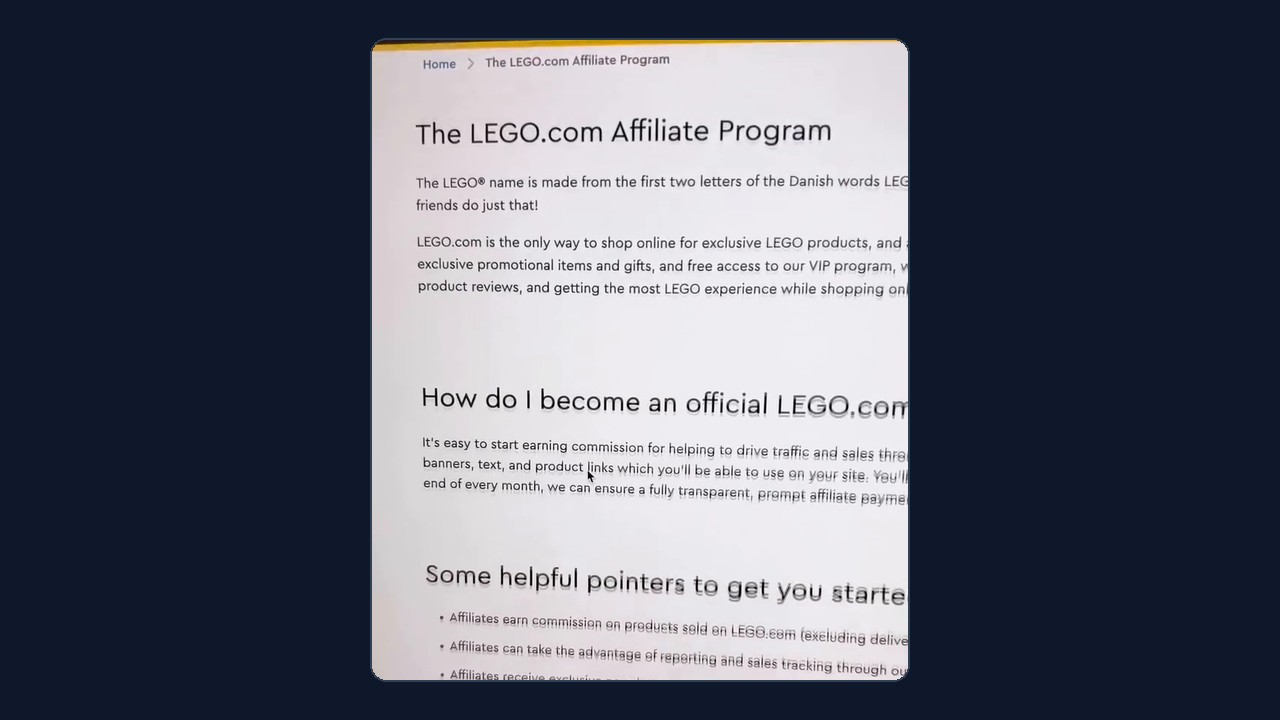
Go to lego.com, scroll to the very bottom of the page, and click Affiliate Program (the LEGO.com Affiliate Program page). On the program page, click Sign up and complete the application. Reel Playbooks addition: in the US and UK the sign-up form is run by Rakuten Advertising, LEGO's affiliate network partner, so you will create a Rakuten Advertising publisher account first. List Pinterest as your promotion method and add your Pinterest profile URL so the reviewer can see where your links will live.
- 2
Get your affiliate link for a product
Reel Playbooks addition: once LEGO approves you, log in to the network dashboard and use its link or deep-link tool to create a tracked link for a specific LEGO.com product page. Pinterest asks that affiliate Pins go straight to the product detail page, so build one link per set rather than one link to the LEGO.com homepage.
- 3
Pick a product and an image
Choose the set you want to promote and save a clear image of it. Reel Playbooks addition: the affiliate network supplies official LEGO banners and product images for approved affiliates, and your own photos of a set you own work well too. Vertical images (2:3, such as 1000 x 1500 px) take up the most room in the Pinterest feed.
- 4
Create the Pin
In Pinterest, click Create, then Create Pin. Drag and drop the product image into the upload area, add a title, and write a short description of the set.
- 5
Paste your affiliate link as the destination
In the Add a destination link field, paste the tracked link from Step 2. This is the step that gets you paid: when someone taps the Pin and buys on LEGO.com, the sale is credited to you. Reel Playbooks addition: put your disclosure line in the first or second sentence of the description so it is visible as soon as the Pin is opened.
- 6
Publish, then keep pinning in moderation
Choose Publish immediately (or schedule it) and repeat for other sets. The creator notes there is no hard limit on how many Pins you can post. Reel Playbooks addition: Pinterest's affiliate guidelines ask for original Pins that add value and warn against creating affiliate Pins repetitively or in large volumes, so spread Pins across relevant boards (for example, "LEGO gift ideas for adults") and vary the images and descriptions.
- 7
Track what earns
Reel Playbooks addition: check outbound clicks in Pinterest Analytics and clicks and sales in your affiliate network dashboard each week. Double down on the sets and board topics that actually convert, and retire Pins that get impressions but no clicks.
Heads upCommon mistakes & tips
Set realistic expectations: published network listings put the base LEGO commission around 3%, so a $100 set earns about $3. The reel's $6,000 a month headline is the creator's claim and is not typical. Bigger, collector-level sets earn more per sale.
Always disclose. Pinterest requires a clear disclosure of commercial content, and the FTC expects it near the recommendation, not buried in hashtags or your bio.
Link to the specific product page, not the homepage, and use the full tracked link; some link shorteners are blocked on Pinterest.
The cookie window is short in some regions (reported as 7 to 30 days), so Pins that catch gift shoppers close to buying, such as holiday and birthday gift ideas, tend to convert best.
Only LEGO.com purchases count. A reader who clicks your Pin and then buys the same set on Amazon or at Target earns you nothing from LEGO.
Want to earn more than one commission per reader? Point some Pins at your own gift-guide page that collects email sign-ups, then send new-set and sale alerts. An AI CRM such as Onedery can capture those sign-ups and automate the follow-up emails for you.
MeasureHow to know it worked
Within a day or two of publishing, your affiliate dashboard shows clicks on your tracked links and Pinterest Analytics shows outbound clicks on the Pins. When a reader buys, the order appears as a pending commission, and it becomes payable after LEGO validates it in its month-end report (returns, shipping, and tax are excluded).
ProvenanceSource & adaptation notes
Original
The reel shows four moves: find the Affiliate Program link at the bottom of LEGO.com and click Sign up; in Pinterest, use Create Pin; drag in a product image and write a brief description; and paste the link LEGO gives you into the destination field, then publish as many Pins as you like.
Reel Playbooks additions
Reel Playbooks additions: the Rakuten Advertising sign-up and approval step, how to generate a product-level deep link, image sizing and sourcing, affiliate disclosure wording and placement, Pinterest's affiliate and spam guidelines, tracking with Pinterest Analytics and the network dashboard, realistic commission math (about 3% base) in place of the reel's income claim, cookie-window and LEGO.com-only caveats, and the optional email-capture idea using Onedery.
AttributionCredit
Original walkthrough by Brady Falks (@brady_falks) on Instagram (watch the original reel). Earnings figures mentioned in the original video are the creator's own and have not been verified by Reel Playbooks.
Adapted from @brady_falks's video; steps expanded by Reel Playbooks.
Reel Playbooks credits and links to the original creator. See For creators to request changes or removal.